Not sure if we deserve all the reviews you can see on this site? Here are some of the things we do (very) differently to earn them.
Hidden
Hidden
Friendly and professional training ... guaranteeed▼
How can any training company guarantee the quality of their courses? Here's how:
We limit our courses to no more than 6 people per class.
Unlike almost every other computer training company, we never subcontract or use freelancers - here's why this matters.
The best courseware in the industry? See for yourself▼
Our course manuals and exercises are by some way the best in the computer training industry. Fortunately you don't have to take our word for this - you can see for yourself:
It's dangerous to be sanctimionius, but we can see no possible benefit that tobacco and gambling companies bring to the world (and quite a lot of harm), so we choose not to work for them. Sorry.
We've put a lot of thought into making our online courses as useful and interactive as possbile:
Delegates use Remote Desktop to connect to our machines, so our trainers can see everyone's screens at all time.
We arrange (without charge) a half-hour pre-course check for each online delegate before courses, to ensure that they everyone will be able to join the course seamlessly when it begins.
As well as providing a PDF of the manual and exercises for each online course delegate we will (again without charge) also post this out to each person a few days before if required.
We don't currently have any bite-sized Microsoft Excel courses scheduled. We may consider adding dates - it's
always worth asking.
Alternatively, if you have a handful of like-minded people in your organisation,
you could consider booking your own bespoke Excel course, whereby you get to pick the dates, training delivery method and venue!
If you can't see the course you want listed above, don't despair! If you can muster 3 or 4 people together, it may well be worth organising an onsite course at your office (we'll provide and set
up the computers), or else
an online course tailored to your needs.
What other people have said about our Excel training
Here are some comments we've received about our Excel + training. You can see all of our 401 reviews here. We would like to sincerely thank the clients whose names are shown below for kindly agreeing to let us share their feedback.
"I really liked the trainer and he made everyone feel capable and welcome. The way the course ran was manageable and although there was a lot of content, the course never felt overwhelming."
James Hodgson
Sellafield Ltd
"I thoroughly enjoyed the course. The course tutor demonstrated in-depth knowledge, he encouraged questions and made the subject interesting and enjoyable. Thank you."
Rebecca Spurling
PwC
"A great trainer! The course moved at the perfect pace ensuring we were following the content but covering a vast amount within 2 days."
Victoria Wilson
MLCS3 Ltd
"This was a great introductory course, delivered really well by the trainer. The setup instructions were clear and easy to follow, and she was very supportive throughout the training."
Mahir Rahman
Otter Audit & Consultancy Services
"I found the course extremely valuable and our trainer was fantastic! The content was catered perfectly to the group."
Cara Spry
Mitsubishi Electric UK
"A great instructor and the course content was perfect for the skills I was wanting to learn. Wise Owl came recommended by a few people, so definitely has a great reputation for quality courses and instructors."
Alexandra Thacker
FIS Global (WorldPay)
About our Excel training
We've been teaching Excel since the early days (anyone remember Excel 4.0?), and consider ourselves gurus! There's a lot you can learn, so we've divided our training into three areas: standard courses, VBA (macros) and Office Scripts courses.
Our standard Excel courses
We run 4 standard Excel courses, covering the needs of everyone from beginners to advanced users:
This is aimed at beginners: it shows how to create, format and print basic worksheets, and how to create simple charts. You won't need any existing experience to attend this course.
This is aimed at people who know the basics, but want to find out a bit more about what you can do in Excel. You'll learn how to sort and filter data in tables, how to apply conditional formatting, how to use IF functions, how to create range names and much more.
For those who are already comfortable using Excel, and want to find out what else the software allows you to do, we've created this two-day advanced course. You'll learn much more about the many useful functions in Excel such as XLOOKUP, XMATCH and INDEX, as well as how to work with pivot tables and how to import data from different sources.
Do you consider yourself proficient at using Excel? Do you build spreadsheet models as part of your job? This two day course will show you three things above all: how (and why) to use range names for every formula you create, the many short-cut keys available in Excel and how to use all the built-in Excel functions. Along the way you'll learn how to create robust financial models.
Our VBA (Visual Basic for Applications) courses
Excel contains a built in macro programming language called VBA (Visual Basic for Applications), which it shares with the other Microsoft Office applications. We run two courses on VBA - introduction and advanced - as well as a three-day consolidated fast-track course:
You won't need any prior experience to attend this course, although if you've used another programming language you'll find it easier to pick things up. The course will teach you pretty much all of the theory that you'll need to automate routine tasks in Excel, although don't underestimate the need to then practise what you've learnt after the course has finished.
If you already know how to declare variables, test conditions, create loops and select cells using keywords like END and OFFSET, you may be ready for our two-day advanced VBA course (but note that for casual users of VBA this will be a course too far). You'll learn how to get Excel to talk to other Microsoft applications like Outlook and Word, how to loop over files and folders processing each in turn, how to work with tables of data in Access or SQL Server, how to create your own objects using class modules, and much more!
If you want to learn as much Excel VBA in as short a time as possible, this is the course for you! The training aims to cover the entire contents of the other two courses (with the exception of class modules) in just three days.
Our Office Scripts courses
Excel has two programming languages! If you're using Excel 365 online (or security is a big concern for you) you should use Office Scripts, rather than the older VBA. Here are the Office Scripts courses that we run:
This course will show you how to program in Office Scripts, a language which is a variant of TypeScript (itself based on JavaScript). You'll learn how to select ranges, work with arrays and write conditions and loops.
If you already know the basics of programming in Office Scripts, this will show you how to perform advanced tasks, such as working with charts, tables, emails, pivot tables and Power Automate flows.
If you're still not sure which is the right Excel course for you, have a look at detailed help on what each Excel course involves.
We don't just teach in Excel - we use it internally too. And not just for work ...
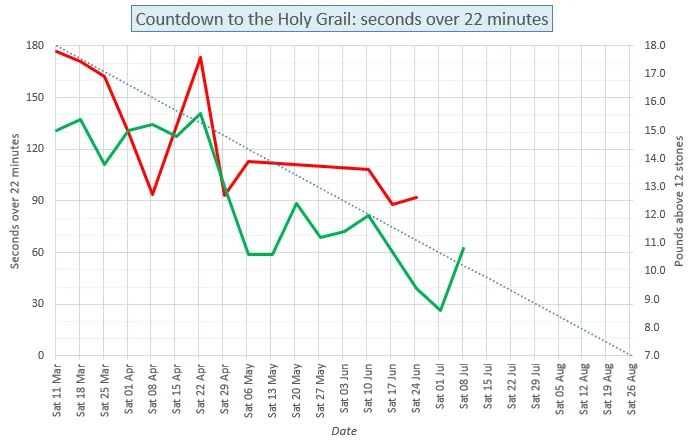
Will this trainer beat his Park Run PB? The omens are not looking too good ...
We've written versions of Flappy Bird and Wordle in VBA within Excel too, just for fun. Book on one of our Excel courses to share our enthusiasm!
FAQs (Frequently Asked Questions)
Click on any heading below to learn more.
How can I contact you with any questions?▼
You can reach us in one of the following ways:
Contact method
Details
Phone
Call us on (0161) 883 3606 and (within normal UK office hours) a friendly and helpful human will answer the phone!
Email
Send an email to our inbox and we'll aim to answer it within a couple of working hours.
Web
Fill in an enquiry form letting us know what you want to achieve, and we'll do our best to help!
Do you offer Excel consultancy too?▼
We can help you create everything from beautiful spreadsheet models to powerful Excel systems using VBA!
Get specific details about our
Microsoft Excel consultancy, or more general information about how our
consultancy works.
Is there an easy way for me to assess my Excel skills?▼
You can take the following tests to assess your Microsoft Excel skills on this site:
Each tests consists of 20 questions. The tests are free and anonymous, and at the end you'll see a full analysis of your results (as well as a comparison of how well you did relative to everyone else who has previously taken the test).
Do you have any Excel videos?▼
We've got the following videos on our site to help you to learn Excel:
How to write macros within Excel (the scope of these videos is roughly the same as that covered by our two-day Excel VBA Introduction course). There are lots more general VBA videos listed here.