The Wise Owl logo with Christmas theme

Our training courses

Other training resources

Our training venues

Why we are different

Details for Ryan Scanlon

Ryan Scanlon has participated in the following threads:

Added by Ryan Scanlon on 10 Dec 2025 at 12:27

Hi, Andrew. i just wanted to give you an update on the little bug i had with the VBA. i started using AI in other scenarios and the solutions came out great. then i thought lets see if it can debug it. well it did. see the code below that AI wrote. Private Sub ComboBox1_Change()

Dim NumberOfRowAboveFirstPlayer As Long

Dim RelativePlayerPosition As Variant

Dim RowNumberOfSelectedPlayer As Long

Dim NameOfSelectedPlayer As String

Dim RangeOfPlayerNames As Range

Dim i As Long

Dim ColLetter As String

Dim SpinnerName As String ' Holds the name of the Form Control Shape

' Setup based on player group 1

NumberOfRowAboveFirstPlayer = 13

NameOfSelectedPlayer = Sheet1.ComboBox1.Value

Set RangeOfPlayerNames = Sheet1.Range("C14:C26")

RelativePlayerPosition = Application.Match(NameOfSelectedPlayer, RangeOfPlayerNames, 0)

If Not IsError(RelativePlayerPosition) Then

RowNumberOfSelectedPlayer = NumberOfRowAboveFirstPlayer + RelativePlayerPosition

' --- START EFFICIENT LOOP (Using Shapes for Form Controls) ---

For i = 1 To 21

' Determine the column letter based on the index (i)

Select Case i

Case 1: ColLetter = "E"

Case 2: ColLetter = "F"

Case 3: ColLetter = "G"

Case 4: ColLetter = "H"

Case 5: ColLetter = "I"

Case 6: ColLetter = "K"

Case 7: ColLetter = "L"

Case 8: ColLetter = "M"

Case 9: ColLetter = "O"

Case 10: ColLetter = "P"

Case 11: ColLetter = "Q"

Case 12: ColLetter = "R"

Case 13: ColLetter = "T"

Case 14: ColLetter = "U"

Case 15: ColLetter = "V"

Case 16: ColLetter = "X"

Case 17: ColLetter = "Y"

Case 18: ColLetter = "Z"

Case 19: ColLetter = "AA"

Case 20: ColLetter = "AB"

Case 21: ColLetter = "AC"

End Select

' Construct the Form Control name using the confirmed "SpinButton" prefix

SpinnerName = "SpinButton" & i

' Access the control using the Shapes collection and its ControlFormat

On Error Resume Next

' Set the LinkedCell property using the ControlFormat object

Sheet1.Shapes(SpinnerName).ControlFormat.LinkedCell = ColLetter & RowNumberOfSelectedPlayer

If Err.Number <> 0 Then

Err.Clear

On Error GoTo 0

' Note: If this still crashes, your Spin Buttons might have been named with a space,

' e.g., "Spin Button 1", or they are not named sequentially.

thanks again for all you help!

End If

On Error GoTo 0

Next i

' --- END EFFICIENT LOOP ---

End If

End Sub

Added by Ryan Scanlon on 06 Mar 2024 at 02:06

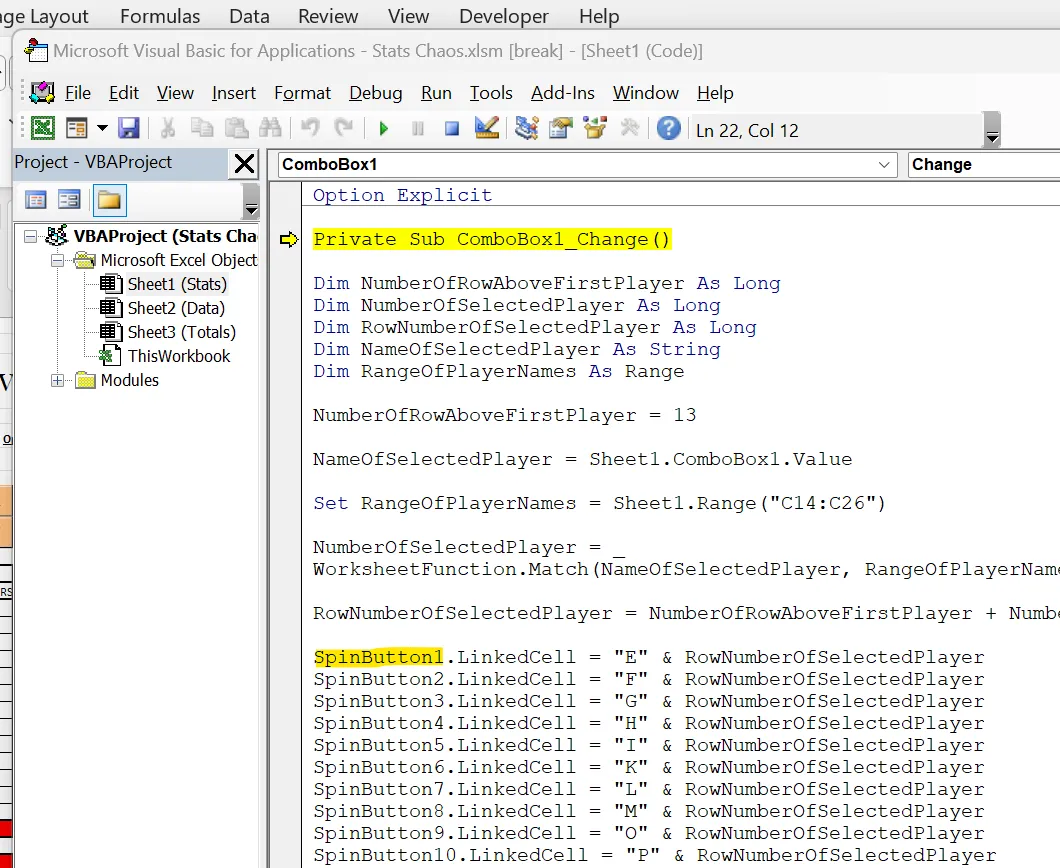
spinbutton.1 was highlighted. it oddly disappears when i use the snipit tool. does this mean the spinbutton is not defined?

Spin button highlighted in combo box change event

Added by Ryan Scanlon on 23 Feb 2024 at 02:07

I think i made the combobox more user friendly by expanding the list view and adding first letter command. i wish i could hover over the cell and mouse wheel to change. i dont think that is possible.

however my original question with the combobox selecting the appropriate row for the spin button still stands.

Added by Ryan Scanlon on 23 Feb 2024 at 00:33

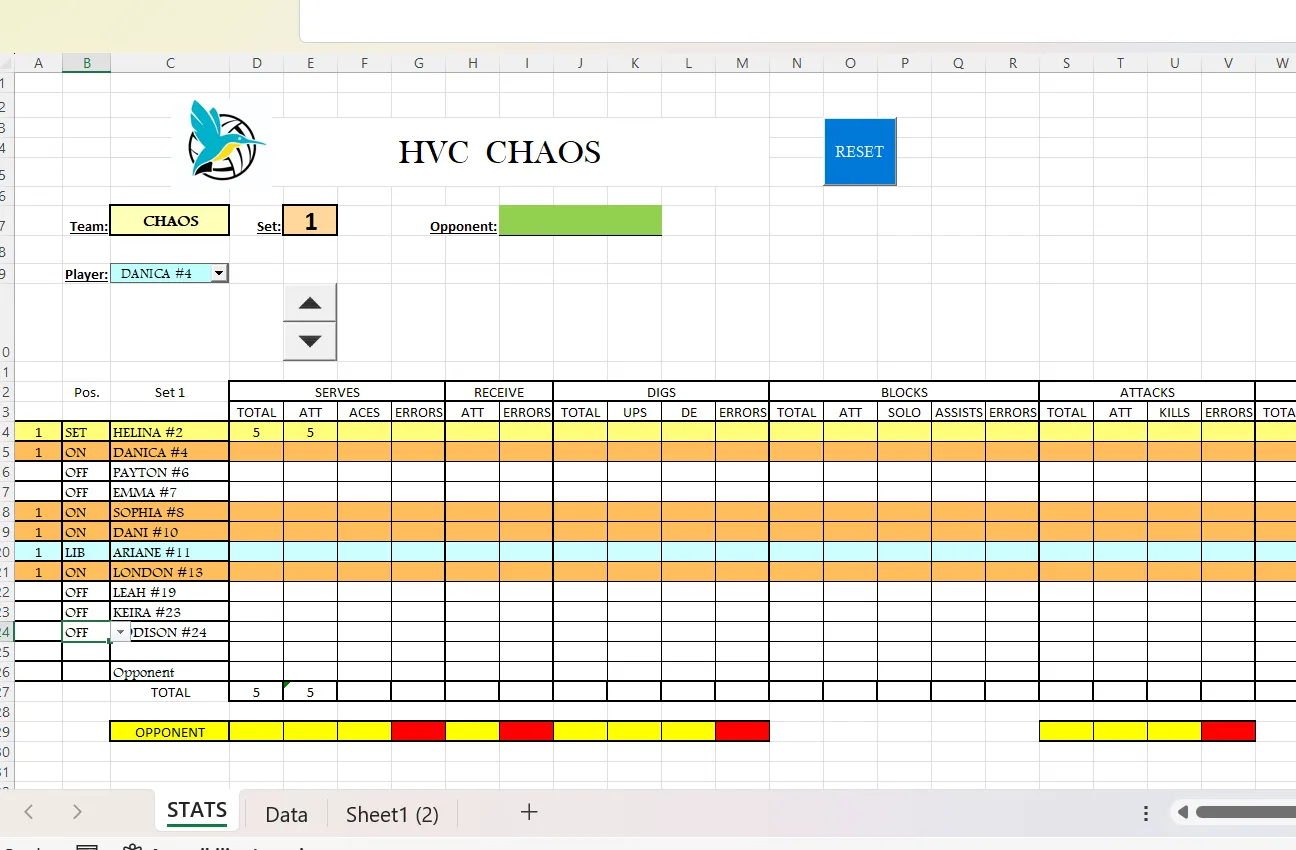
Hi Andrew, thank you again for your help. i was having an issue linking the combo box to the cell i wanted the spin button to control. Quick background on what im trying to accomplish. the form i am modifying is for my daughters volleyball team's coach. he logs stats and he said it takes him hours so i said i would help out.

originally i was going to use a combo box to control the row in which the spin button will link to, but i am going to change the process due to the combobox or list box doesn't scroll like i would like it to. it would take 3 clicks of the mouse to get to cell for the spinbutton(dropdown,slidebar,select). so i want to click the name to indicate the row that will be active. there will be about 25 spin buttons across to choose from on the form

Screen shot of complex sheet with multiple form controls

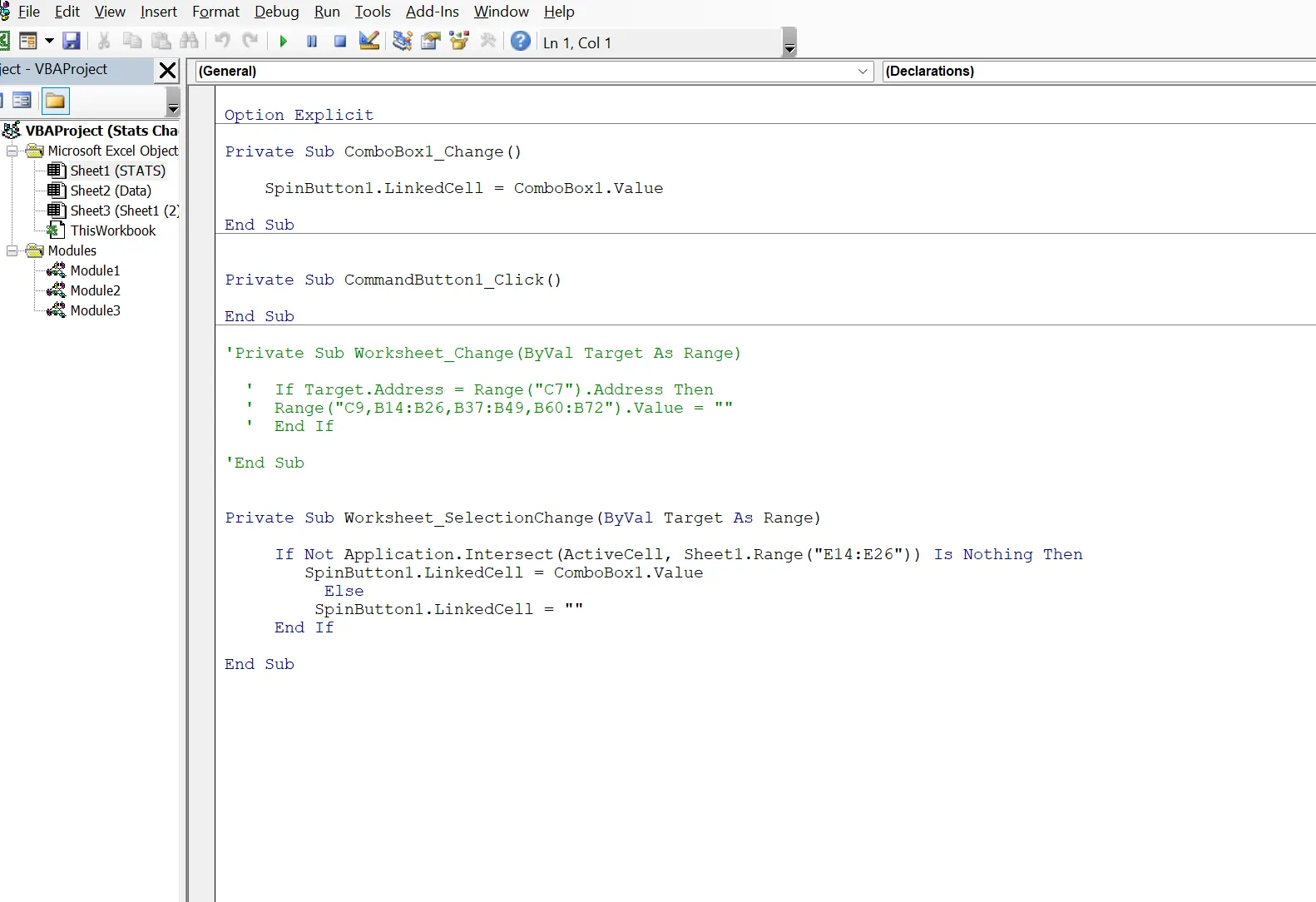
VBA SelectionChange code excerpt

.

Head office

Kingsmoor House

Railway Street

GLOSSOP

SK13 2AA

London

Landmark Offices

99 Bishopsgate

LONDON

EC2M 3XD

Manchester

Holiday Inn

25 Aytoun Street

MANCHESTER

M1 3AE

Google reviews star logo

© Wise Owl Business Solutions Ltd 2025. All Rights Reserved.

End of small page here
Please be aware that our website uses cookies!
I'm OK with this Tell me more ...