Read our blogs, tips and tutorials
Try our exercises or test your skills
Watch our tutorial videos or shorts
Take a self-paced course
Read our recent newsletters
License our courseware
Book expert consultancy
Buy our publications
Get help in using our site
426 attributed reviews in the last 3 years
Refreshingly small course sizes
Outstandingly good courseware
Whizzy online classrooms
Wise Owl trainers only (no freelancers)
Almost no cancellations
We have genuine integrity
We invoice after training
Review 30+ years of Wise Owl
View our top 100 clients
Search our website
We also send out useful tips in a monthly email newsletter ...

Some other pages relevant to this blog include:
You can also book hourly online consultancy for your time zone with one of our 7 expert trainers!
| We've upgraded to Visual Studio 2026 - is there much difference? |
|---|
| After waiting a couple of months for the main bugs to be ironed out, we've upgraded our web development to Visual Studio 2026. This blog considers the extent to which this has changed our lives (answer: not as much as we expected). |
In this blog
Visual Studio 2026 was released on 11th November 2025. You can see what Microsoft think of their new baby here (you'll need to scroll down to the November Update 18.0.0 release notes), but I thought it would be useful to record my impressions.
Just for context, I develop and maintain two internal and one external website at Wise Owl, with the legacy one using VB but the newer 2 using exclusively C# code. I've been an enthusiastic Visual Studio user way back to when it wasn't even called Visual Studio (remember Visual InterDev, anyone)?
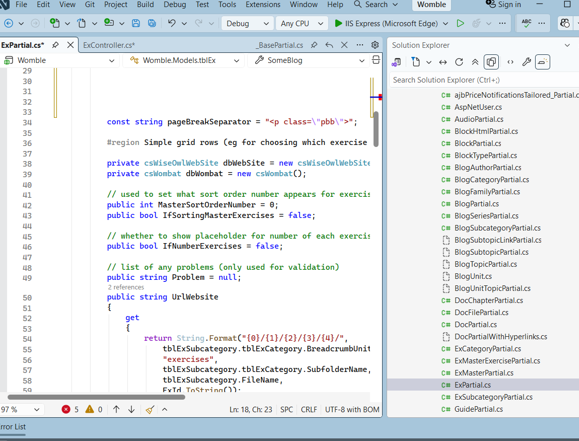
The first thing you notice about Visual Studio is that it looks different:

Apparently "Visual Studio now features a refreshed interface aligned with the Fluent UI design system".
It's true that VS 2026 does look different, but in my opinion it's not really noticeably better (or worse).
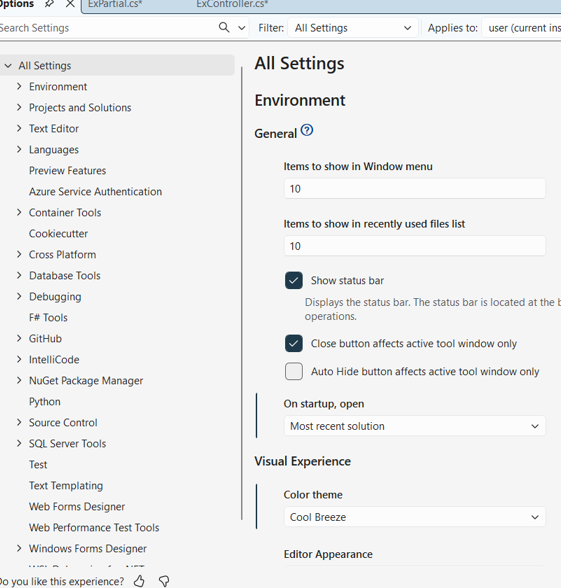
When you choose Tools -> Options you now get taken to a much better Settings interface:

This looks much more modern.
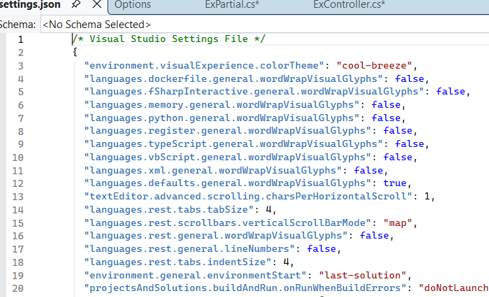
Best of all, you can choose to edit the JSON containing your settings directly, which will be familiar to users of Visual Studio Code:

Select this option to switch to JSON mode.
I can now see all of the settings I've tweaked in one place:

This is really useful!
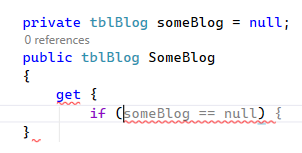
This is probably the single thing which would change my development life the most - how well does Visual Studio finish my sentences for me?

A typical bit of Intellisense, saving me having to type this line of code in.
My experience is that there is a new and irritating half-second delay between typing something in and Intellisense appearing, which as a touch-typist is half a second too long for me to wait. I also haven't noticed any improvement in Intellisense offerings - if anything the opposite - but I would stress that this is just my experience.
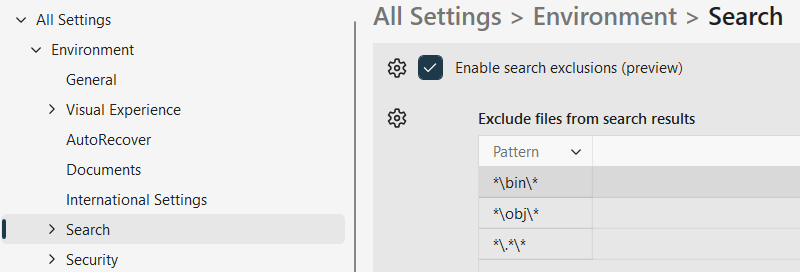
Although I probably won't bother setting this up, I can see that it would be really useful:

Searching often throws up files you're not interested in - you can exclude these from your searches in settings.
I said that I would concentrate on my experience of Visual Studio 2026 in day-to-day development, but it would be unfair not to mention the following changes which don't really affect me:
Area | Changes |
|---|---|
Productivity | There are a host of productivity changes, including something called Adaptive Paste which Microsoft are clearly proud of (when you paste in code Visual Studio will modify it to suit the new context). I'm sure things like this are wonderful, but the truth is I'll rarely if ever use them. |
Copilot | There are many ways in which Copilot can now help you, but I'm happy asking coding questions separately in the likes of ChatGPT (does this make me a dinosaur?), and I find Copilot's intrusions on my work ... intrusive. |
Debugging | There are probably more changes in this area than any other, but I already have far more debugging tools than I can ever hope to use. |
Sharing | As a single developer, the extensive changes to Git and GitHub don't really affect me (perhaps they should?). |
C# 14 | Visual Studio 2026 has full support for C# 14 and .NET 10, but I suspect I won't notice this. |
If after reading the above you recognise a kindred spirit - someone who just wants to get things done as quickly and efficiently as possible - then I would say there's no real advantage to be gained from upgrading to Visual Studio 2026 other than the fact that Microsoft will stop nagging you to do so!
Some other pages relevant to this blog include:
You can also book hourly online consultancy for your time zone with one of our 7 expert trainers!
Kingsmoor House
Railway Street
GLOSSOP
SK13 2AA
Landmark Offices
99 Bishopsgate
LONDON
EC2M 3XD
Holiday Inn
25 Aytoun Street
MANCHESTER
M1 3AE
© Wise Owl Business Solutions Ltd 2026. All Rights Reserved.