Read our blogs, tips and tutorials
Try our exercises or test your skills
Watch our tutorial videos
Catch up on one of our webinars
Take a self-paced course
Read our recent newsletters
License our courseware
Book expert consultancy
Buy our publications
Get help in using our site
386 attributed reviews in the last 3 years
Refreshingly small course sizes
Outstandingly good courseware
Whizzy online classrooms
Wise Owl trainers only (no freelancers)
Almost no cancellations
We have genuine integrity
We invoice after training
Review 30+ years of Wise Owl
View our top 100 clients
Search our website
We also send out useful tips in a monthly email newsletter ...

Some other pages relevant to this blog include:
You can also book hourly online consultancy for your time zone with one of our 7 expert trainers!
| Comparing the various Copilot offerings from Microsoft |
|---|
| Do Microsoft deliberately obfuscate when creating their different licences for software? It can sometimes seem so. This blog tries to explain - as clearly as possible - the differences between Copilot, Copilot Chat and Copilot 365. |
In this blog
Understanding the different Copilot options can be difficult. This Reddit user summed it up perfectly:

Throwing light on a murky subject.
I'd like to introduce you to the following 3 people:

3 different Copilot users, with different budgets and needs.
Here are the Copilot licences that each has:
Person | Licence | Cost |
|---|---|---|
Amateur Angela | Microsoft Copilot (casual user) | Free |
Business Bob | Microsoft 365 Copilot Chat | Free within the 365 business licence Bob's company has |
Rich Robin | Microsoft 365 Copilot | Currently £165.60 per year (billed monthly, but with a minimum time period) |
What I'd like to do is to show you what each of these 3 people can and can't do within their licence.
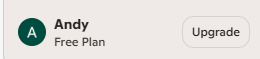
Here's what Angela sees in Copilot (she is here going by her alter ego's name, Andy):

Angela is signed on, so she'll be able to see her chat history.
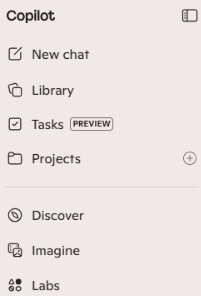
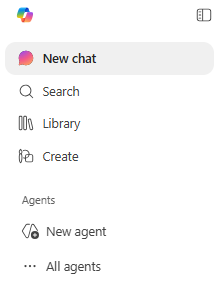
Here are the main things that Angela can't do since she hasn't paid anything to Microsoft. Firstly, she can't create agents:
![]() The free version menu when creating a chat | ![]() The equivalent (paid) Copilot Chat menu |
A Copilot agent is an AI model dedicated to a single use. So for example you might create an agent to answer any requests for computer training by exclusively referencing the Wise Owl website.
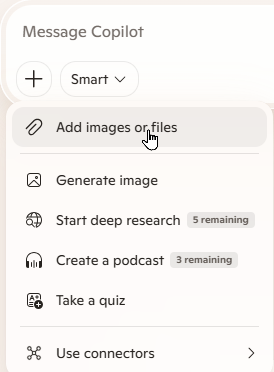
Secondly, Angela is limited to the files she can reference:

The Add images or files option in free Copilot.
A third restriction on Angela's use of free Copilot is that she will be limited to the number of images she creates per day, although the exact restrictions don't seem to be published anywhere and almost certainly depend on current service usage.
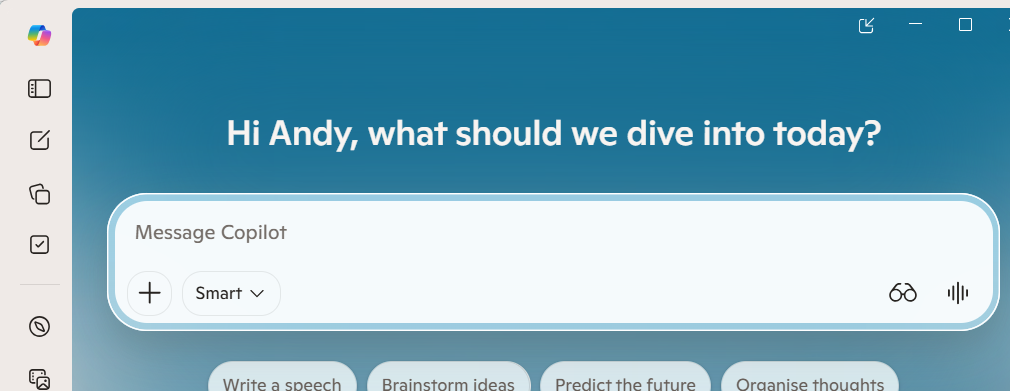
Note, however, that even free Copilot users can run the desktop or mobile Copilot app:

What Angela-cum-Andy's Copilot app looks like on my laptop.
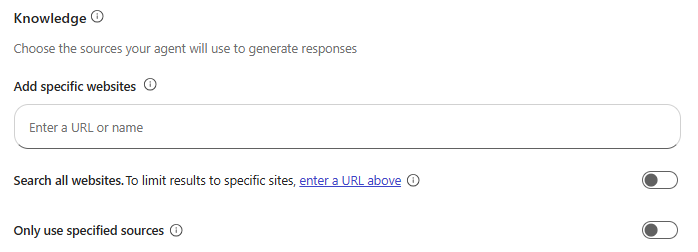
If your organisation has a 365 business licence, you'll automatically be able to use Copilot Chat. This has the following restrictions. Firstly, when creating an agent (see above for what an agent is) Business Bob will only be able to choose publicly available websites as his knowledge sources:

So Bob can create an agent which calls upon the Wise Owl website as its knowledge source, but not an agent which uses an internal SharePoint list or OneDrive file.
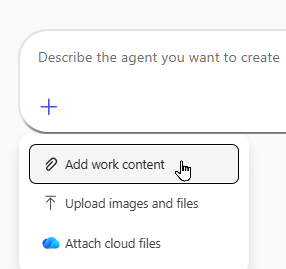
On the plus side, when creating a chat Bob can add work content or cloud files:

The options Bob sees when you click on the + button.
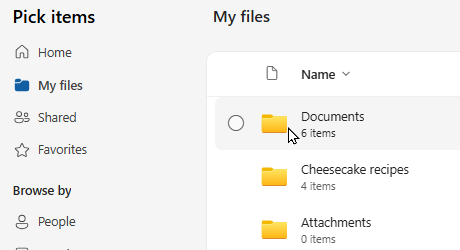
If Bob chooses cloud files he can then choose a OneDrive document:

The folders are from Bob's OneDrive account.
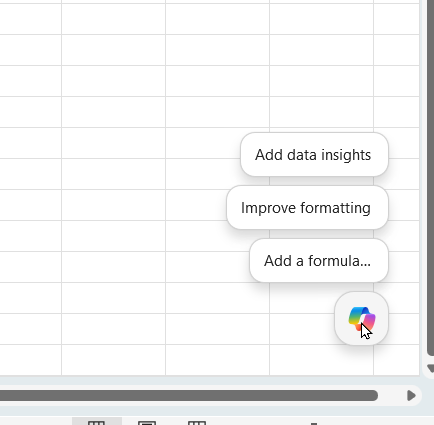
Bob can also get access to Copilot when working (for example) on an Excel workbook or Word document:

Bob can click on the Copilot icon to get help on (in this case) his workbook.
So Copilot Chat is grounded on general 365 data - to use Microsoft's horrible technical word - along with anything in the public domain (ie on websites).
Typically, a Microsoft 365 Copilot user will have a 365 business subscription, but also pay an additional licence (currently about £166 per year) to access additonal specific features (as set out below).
Microsoft deserve special opprobrium for quoting a monthly figure for the additonal licence but charging it annually. Because there's no trial period it will cost about £170 for you to try out Microsoft 365 Copilot on an individual basis to see if it's for you (and this is assuming you already have a 365 licence).
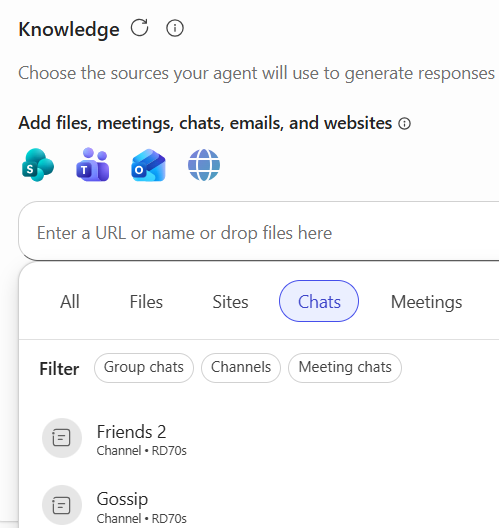
So what extra benefits does 365 Copilot give Rich Robin? The main one is access to all of the files in her organisation's tenant. She can see this when she's creating an agent:

The icons above show that Robin can base her agents on most 365 data held by her organisation.
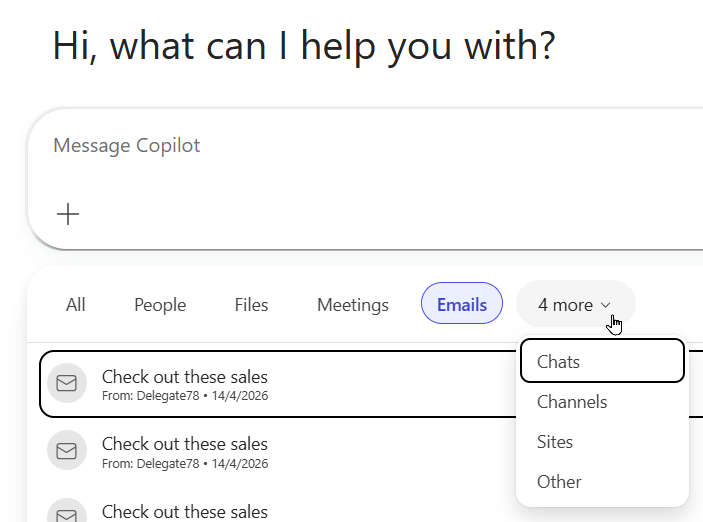
When she's creating a new chat, Robin can include any files from her organisation's 365 tenant:

The box which appears when you choose to add a file to a chat.
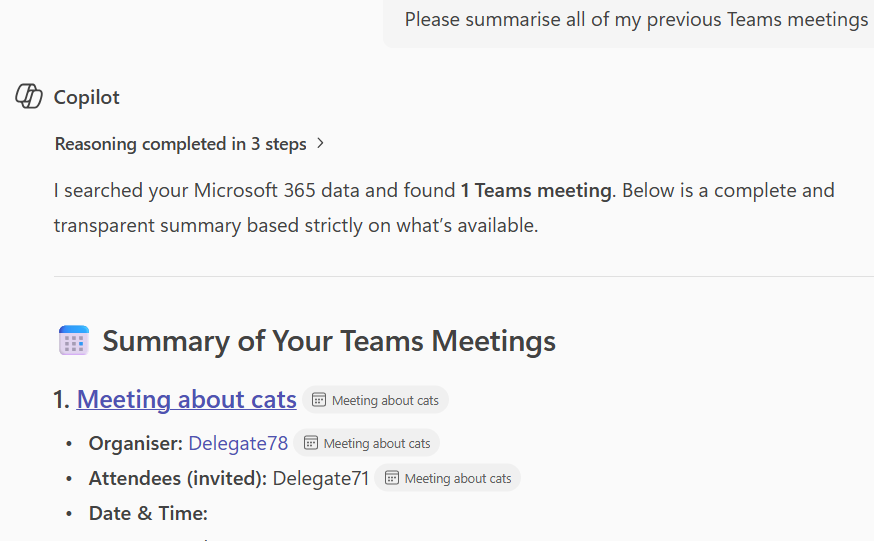
Best of all, Robin can ask Copilot to summarise Teams meetings, SharePoint activity, the emails in her inbox or any other 365 activity:

Rich Robin's 365 account isn't very interesting, sadly (and neither is her alias Delegate78).
The rules for which apps you need a Copilot 365 Business licence for are complicated. For example Business Bob will be able to write a prompt to summarise his Outlook emails, but won't be able to write one to open a file from OneDrive.
If you have a 365 business account you will get a few extra perks from using Copilot Chat within it (the main ones are that you'll be allowed to create more images before your usage is throttled, and you'll be able to create agents). However if your organisation has a 365 business account and makes extensive use of SharePoint, Teams, OneDrive and the like, it is - sadly - probably worth ponying up to get a Copilot 365 account.
Wise Owl don't use cloud-based Microsoft sevices as much as we should, but if we did hold everything in SharePoint and OneDrive I would consider the decision on whether to pay for an additional Microsoft 365 Copilot licence a no-brainer (sadly).
Some other pages relevant to this blog include:
You can also book hourly online consultancy for your time zone with one of our 7 expert trainers!
Kingsmoor House
Railway Street
GLOSSOP
SK13 2AA
Landmark Offices
99 Bishopsgate
LONDON
EC2M 3XD
Holiday Inn
25 Aytoun Street
MANCHESTER
M1 3AE
© Wise Owl Business Solutions Ltd 2026. All Rights Reserved.